Shouting. DMs. Missed calls. If that's how orders reach your truck, a few of them are quietly getting lost, and you only find out when a customer asks where their burrito is.
Lunchtime is the worst of it. The line is 9 deep; someone shouts an order through the hatch; a message pings in about "2 chicken burritos for 1pm"; and there's a call you'll never get back to.
If you take orders on WhatsApp Business today, you're probably doing exactly this. Here's how to take orders on WhatsApp Business without losing them: what works, what breaks and how WhatsApp ordering fixes the rest.
What works
The free WhatsApp Business app gets a lot right for a small operator:
- 1 number for everything. Customers learn where to message you, instead of chasing you across social media.
- Saved replies. The questions you answer 10 times a day (where are you today? what time do you close?) become 1 tap.
- A catalogue. People can see what you sell before they ask.
- Labels. You can mark chats as "new order", "paid" or "ready" to keep track.
For a quiet Tuesday, that's a perfectly good setup. It's also free, which matters when you're starting out.
What breaks
The trouble starts the moment the line gets long. The app gives you a place to chat, but it doesn't take the order for you.
- Orders get buried. A single message sits between 2 chats about opening times. By the time you scroll back, the customer has gone.
- Details go missing. "2 chicken burritos, 1 no beans" turns into 1 burrito and a puzzled customer.
- Payment is a second job. You're asking for money in a chat, then checking it's arrived, while the line grows.
- Everything depends on your thumbs. You can only reply to 1 person at a time, and you're also cooking.
None of this means you've done anything wrong. It means 1 person can only type so fast.
How to take orders on WhatsApp Business: let the chat take them
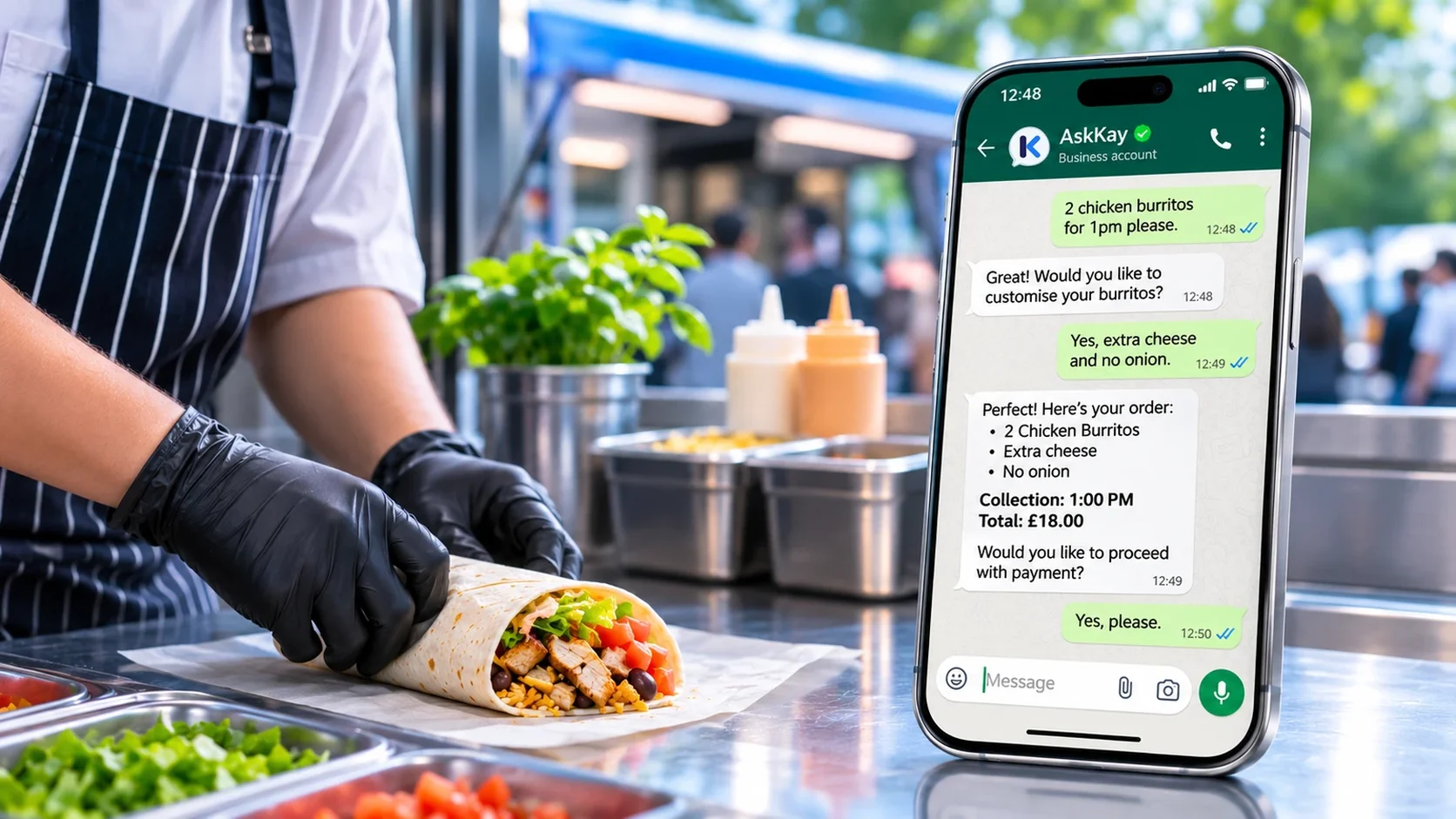
Meet AskKay, Kayana's WhatsApp ordering service. It takes orders and payments in the chat, giving your busiest hours an extra pair of hands without the cost of another member of staff. A single WhatsApp number takes every order and sends it tidily to your team. Customers scan the code on your truck or message your number directly. AskKay walks them through the menu, asks follow-up questions (which filling, any extras?), and suggests add-ons. They pay by card, Apple Pay or Google Pay from the chat.
Here's an example of how it might look:
You keep your saved replies for the odd chatty question. The orders go through AskKay, complete and paid for, while you're still filling the burrito in front of you.
If you'd like the bigger picture on what each kind of WhatsApp tool does, read WhatsApp Business App vs Chatbot vs Ordering System: What's the Difference?.
AskKay is also built for market stalls and pop-ups, and you can see where else AskKay is used.
New to AskKay? AskKay Explained: What It Is and the Vision Behind WhatsApp Ordering explains what it does and how an order works.
Why a chat that takes the order beats one you answer
- Extra sets of hands. AskKay can handle up to 80 orders at once, so you can keep cooking.
- Always on. Customers can order whenever they like, including before you've even parked.
- Fewer lost orders. Nothing slips between a shout, a DM and a missed call.
- Orders arrive complete. What the customer asked for is what your team sees.
Moving your orders out of the inbox
The team uploads your menu and sets up your WhatsApp number. You look it over, say it looks right and go live. There's no setup fee, no subscription and no contract.
See AskKay pricing for the rates in your country, or try the demo to see what your customers would see.